
Vintage B3 Organ - No Sound🔇
ISSUE
In certain newer versions of MainStage, a known issue may prevent sound from playing when using a Vintage B3 Organ patch in an existing concert, even though other instruments function normally.
RESOLUTION
- In Edit mode, select the patch where the B3 organ is not sounding.
- Select/Press the Vintage B3 plugin button (which should be green) on the B3 channel strip.
-
In the B3 plugin window that now opens, select the SPLIT button in the lower right corner
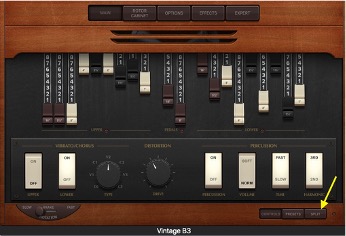
-
On the lower left hand corner of this screen, move the slider from MULTI or SPLIT to SINGLE
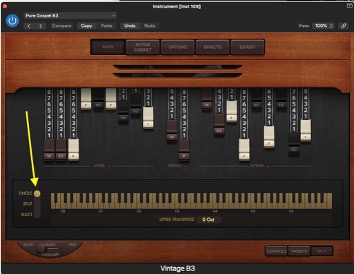
- Click the 🔴 in the top-left corner of the plugin window to close it. The B3 organ should sound.
- Save the File
You will need to do this for all instances where this is happening